
2026/09/05
Vaundy ASIA ARENA TOUR 2026 “HORO” AR Camera Project Announced!
It has been decided that an "AR camera" will be implemented at "Vaundy ASIA ARENA TOUR 2026 “HORO”"!
Even if you're not a VAWS MEMBERS member, you can use the service if you have Vaundy OFFICIAL APP installed!
"Vaundy ASIA ARENA TOUR 2026 “HORO”" Live-related project
◆Venue-exclusive AR camera
◆Anywhere AR Camera
◆Venue exclusiveAR camera
Take a photo with the tour logo at the venue on the day of the live show!
The AR camera available only at the venue will display a tour logo in a different limited-edition color for each performance date.
Please feel free to use this for commemorative photos of your visit!
[How to play]
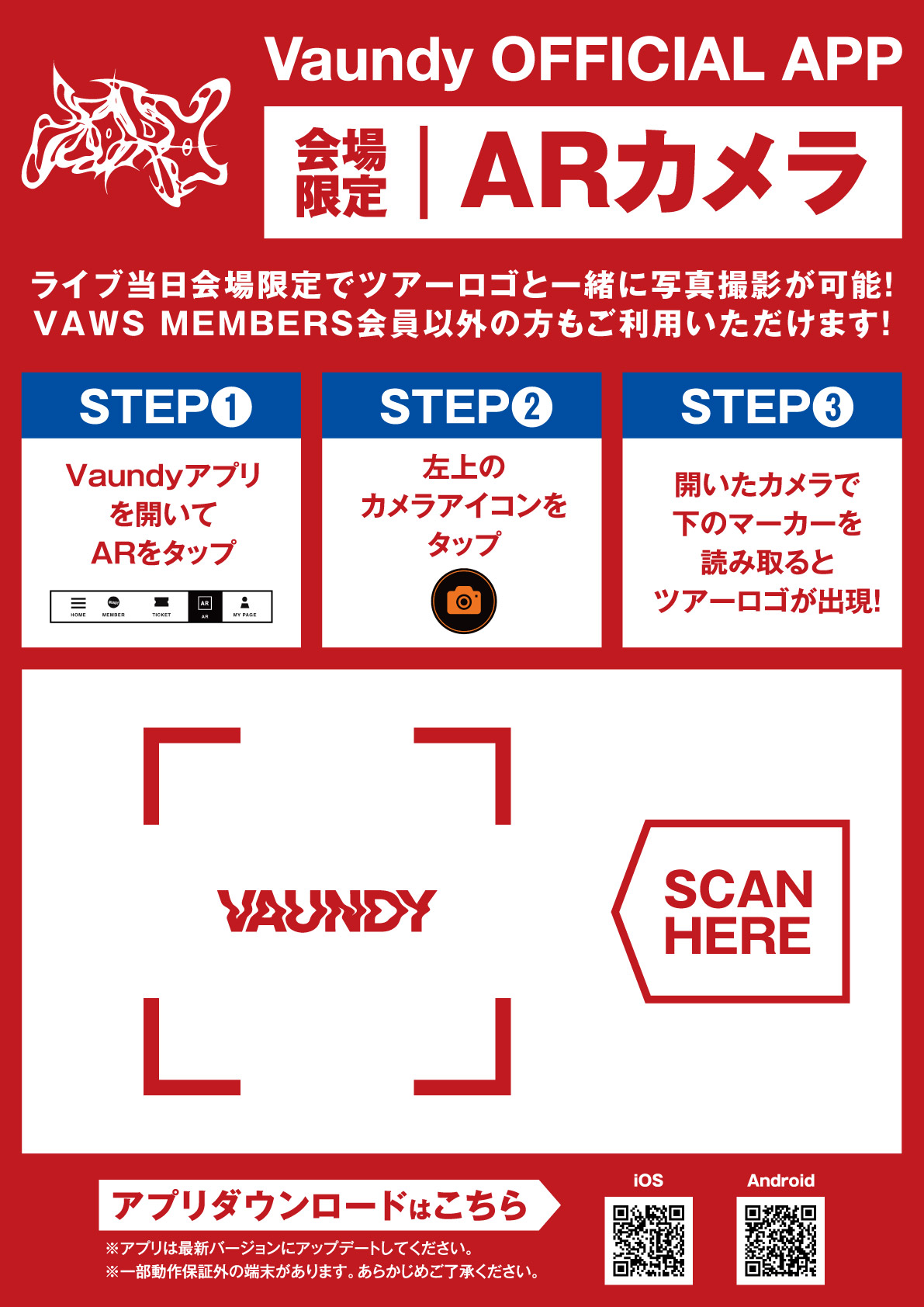
① Once you arrive at the venue, open Vaundy OFFICIAL APP and tap "AR"!
② Tap the camera icon in the upper left corner!
③ When you scan the "markers" on the panels installed at the venue with the open camera, the tour logo will appear!
◆ AnywhereAR camera
Take photos with the tour logo anytime, anywhere during the tour!
[How to play]
① Open Vaundy OFFICIAL APP and tap "AR"!
② Tap the camera icon in the upper left corner!
③ Select "Markerless" from the menu bar (three lines) in the upper left corner!
④ Tap "Play" and the tour logo will appear!
▼ Install Vaundy OFFICIAL APP here
iOS: https://apps.apple.com/jp/app/vaundy-official-app/id1631933316
Android: https://play.google.com/store/apps/details?id=jp.vaundy.app
[Notes]
Please update your app to the latest version.
- The "Venue-Exclusive AR Camera" can be used by scanning the markers installed at the venue on the day of the performance.
- You can switch between the front and rear cameras by tapping the gray camera icon in the lower left corner of the screen.
Multiple AR images will be displayed overlapping each other, so please move them to your preferred arrangement to enjoy the experience.
• Operation may not be guaranteed on some devices. Please be aware of this in advance.